
 June 30, 2025
Before your website can appear in search results, it must first be crawled and indexed. Think of crawling as the discovery phase—search engine bots “walk” your site to see what’s there. Indexing is what happens after—they store and organize that content for later retrieval.
Understanding how this works isn’t just geeky fun—it’s foundational to great SEO.
Why Crawling and Indexing Matter for SEO
If your pages aren’t being crawled, they won’t be indexed. And if they’re not indexed, they don’t exist in the eyes of Google or Bing. That’s SEO suicide!
Search Engine Bots: Who’s Doing the Crawling?
Google uses bots like Googlebot, while Bing uses Bingbot. These little digital spiders follow links, read HTML, and collect info to decide what content to index and rank.
🚶 What Is Crawling?
How Web Crawlers Discover Content
Web crawlers scan your pages by following internal links and sitemaps. They move from page to page like a spider on a web (hence the nickname “spiders”).
The Role of Internal Linking in Crawl Efficiency
Internal links help crawlers discover deeper pages. A well-structured site architecture ensures no content is left hiding in a dark corner.
Crawl Budget: What It Means and Why It Matters
Your crawl budget is the number of pages a bot will crawl on your site within a time frame. Wasting that budget on broken links or duplicate pages can hurt your SEO. Learn more about handling crawl errors in this step-by-step guide.
📚 What Is Indexing?
How Content Gets Stored and Organized
After crawling, bots decide if the content is worthy of being stored in the search index. This index is essentially a giant database of web content.
Factors That Influence Indexing Decisions
Google looks for relevance, uniqueness, speed, and mobile-friendliness. If your content doesn’t pass muster, it might not make the cut.
How Often Is Your Site Re-Indexed?
It varies. High-authority sites might be crawled daily, while smaller blogs may be visited weekly or less. Updating your site regularly can increase indexing frequency.
🛠️ How to Optimize Your Site for Crawling
Submit a Sitemap
Create and submit a sitemap through Google Search Console. It’s your roadmap for bots, guiding them through your site’s structure.
Use Robots.txt Wisely
Don’t accidentally block important pages. Use robots.txt to guide crawlers, not restrict them from accessing critical content.
Improve Site Architecture
Keep URLs clean. Group content logically. Ensure every page is reachable within three clicks from the homepage.
Fix Crawl Errors Quickly
Use the full crawl error guide to troubleshoot and resolve issues like broken links or blocked resources.
📈 How to Improve Indexing
Keep Content Fresh and Valuable
Stale, low-value content won’t get indexed. Regularly publish new posts and update existing ones to stay relevant.
Use Canonical Tags
Avoid duplicate content issues by specifying which version of a page you want indexed.
Ensure Mobile-Friendliness
Mobile-first indexing is the new normal. If your site isn’t mobile-friendly, it won’t perform well—period.
💻 Technical SEO’s Role in Crawling and Indexing
Page Speed and Core Web Vitals
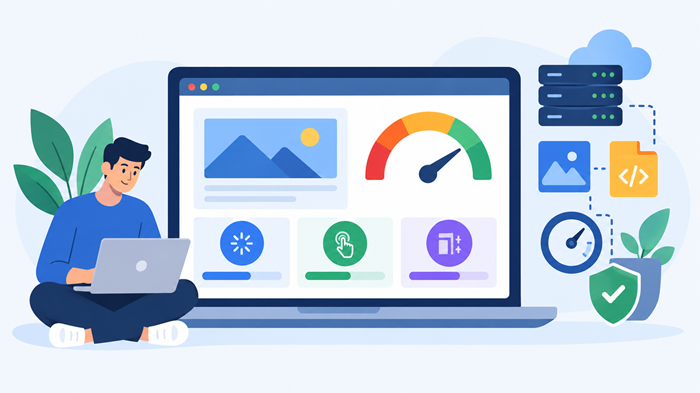
Slow-loading pages frustrate both users and bots. Your Core Web Vitals—like Largest Contentful Paint (LCP)—directly affect indexing priority. Learn how to optimize them in this guide.
Structured Data and Schema Markup
Schema.org markup helps crawlers understand your content better, improving visibility through rich snippets.
HTTPS and Site Security
A secure, encrypted connection (HTTPS) is now a must. It builds trust with users and search engines alike.
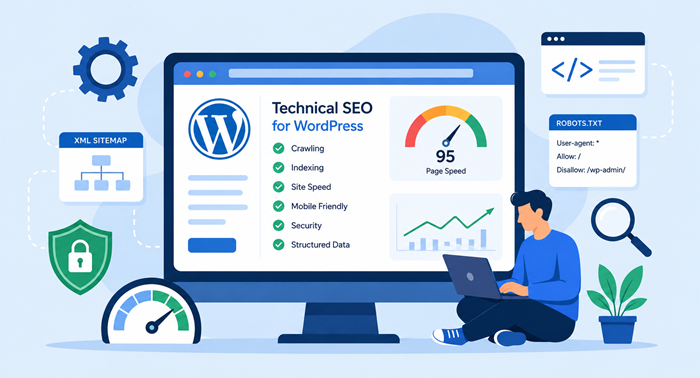
More technical SEO tips can be found in this complete Technical SEO resource.
🧪 How SEO Site Audits Help
An audit gives you a full diagnostic check-up for your website. It highlights crawl issues, indexing problems, broken links, and more. Not sure how often to audit your site? Check out this site audit frequency guide.
🔎 Tools to Monitor Crawl and Index Status
Google Search Console
Use the Coverage Report to view which pages are indexed, discover crawl errors, and check submitted sitemaps.
Bing Webmaster Tools
A handy alternative for sites getting traffic from Bing. It offers similar insights as Google’s tools.
Third-Party Tools
Platforms like Screaming Frog, Ahrefs, SEMrush, and Sitebulb offer deep crawls and actionable suggestions.
⚠️ Common Crawling and Indexing Issues
Duplicate Content
Duplicate pages confuse search engines. Use canonical tags and noindex directives to avoid this problem.
Orphaned Pages
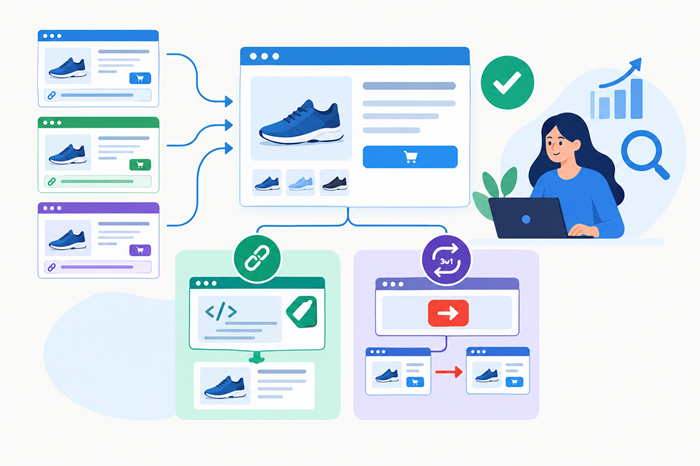
Pages without internal links don’t get crawled. Use internal linking strategies to connect all your content.
Broken Internal Links
They waste crawl budget and lead bots nowhere. Fix them as soon as they’re discovered.
✅ Best Practices for Long-Term Crawlability and Indexability
- Regularly update your sitemap
- Run monthly SEO audits
- Keep URLs short and keyword-rich
- Use clean code and minimal redirects
- Avoid unnecessary JavaScript that hides content
🧠 Conclusion
Crawling and indexing are at the heart of every successful SEO strategy. Without them, your amazing content might never see the light of Google’s search results. But when done right, they ensure your site stays visible, accessible, and competitive.
By optimizing your site architecture, fixing crawl errors, using structured data, and embracing technical SEO, you make your site not just bot-friendly—but also user-friendly.
So the next time someone asks, “Why isn’t my site ranking?” you’ll know where to start.