
 September 1, 2026
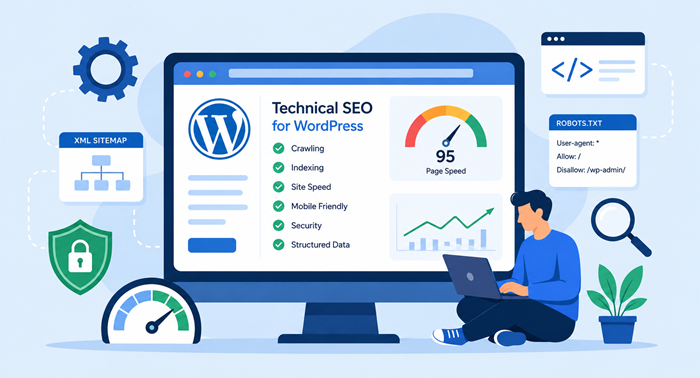
A WordPress website can look polished and still struggle in search when its technical foundation is weak. Slow loading, poor mobile performance, broken links, indexing problems, duplicate URLs, and an unclear site structure can all reduce organic visibility.
That is why technical SEO for WordPress should be treated as an ongoing part of website management rather than a one-time checklist. At Ducky Unlimited, we combine SEO knowledge with hands-on development expertise to help businesses build faster, cleaner, more scalable websites that search engines can crawl and users can navigate easily.
Key Takeaway
- A technically strong WordPress website makes crawling, indexing, and navigation easier.
- Speed, mobile usability, security, and site architecture should be monitored continuously.
- A lean setup with carefully selected WordPress plugins can reduce technical problems.
- Ongoing development and SEO support can prevent small issues from becoming major ranking obstacles.
Why Technical SEO Matters for a WordPress Website
Technical SEO creates the foundation beneath your content, keywords, and backlinks. If search engines cannot efficiently discover, render, or understand important pages, even high-quality content may not achieve its full potential.
A WordPress website also changes over time. New pages, plugins, themes, redirects, tracking scripts, images, and design updates can introduce problems without being immediately visible.
The objective is not to make every setting complicated. It is to create a reliable technical environment where search engines can access important content and visitors get a fast, secure experience.
1. Choose Reliable Hosting
Hosting affects your website’s basic performance. An overloaded server can cause slow response times before a visitor even begins loading a page.
Choose hosting with dependable uptime, suitable resources, modern infrastructure, and caching support. As traffic grows, review whether your hosting plan still matches your site’s requirements.
For businesses that depend on organic traffic, server performance should be considered part of the SEO investment.
2. Create a Clear Site Architecture
Search engines need logical paths through your website. Organize pages into clear categories and make important content easy to reach.
Your navigation should help visitors understand where they are and what they should explore next. It also gives crawlers useful signals about the relationships between pages.
Avoid creating unnecessary archive, tag, filter, or parameter URLs. A clean crawlable structure is easier to manage and can reduce indexing confusion.
3. Keep URLs Clean and Consistent
A good URL should be short, descriptive, readable, and stable. Use meaningful words instead of unnecessary numbers or complicated parameters.
Before changing an established URL, consider its backlinks, traffic, and search history. When a change is necessary, use an appropriate redirect and update internal references.
Consistency is equally important. Establish sensible URL conventions and apply them throughout the site.
4. Improve Speed and Core Web Vitals
Website performance affects both user experience and search visibility. Start with properly sized and compressed images, then review caching, scripts, CSS, JavaScript, fonts, third-party resources, and server response time.
Core Web Vitals are particularly useful because they measure real aspects of page experience. For a more detailed performance checklist, see our guide to practical strategies to improve INP for WordPress.
Do not optimize based on assumptions. Measure important templates, identify the largest bottlenecks, make targeted improvements, and test again.
5. Prioritize Mobile Performance
A WordPress website should work smoothly across phones, tablets, and desktops. Responsive design is important, but it does not automatically guarantee a good mobile experience.
Check navigation, buttons, forms, images, menus, spacing, and page stability on actual mobile devices. Large media files and unnecessary scripts can be especially damaging on slower connections.
Mobile usability should be considered during development instead of being left until the final stage.
Also Read: Mobile-First Indexing: What It Means for Your SEO
6. Secure the Website With HTTPS
HTTPS protects information exchanged between visitors and your site and is now expected for professional websites.
Keep the SSL certificate valid and make sure important resources load securely. Security maintenance should also include software updates, backups, user permissions, and monitoring for vulnerable components.
Maintaining the site’s core software, themes, and plugins is therefore both a security and website-quality responsibility.
7. Audit WordPress Plugins
Plugins provide useful functionality, but unnecessary or poorly maintained plugins can create performance, security, and compatibility issues.
Regularly review installed plugins. Remove those that are unused, duplicated, abandoned, or no longer necessary. Keep essential tools updated and check compatibility before major changes.
The goal is not to avoid plugins completely. It is to maintain a lean setup built around reliable tools that serve a genuine business purpose.
8. Maintain XML Sitemaps
An XML sitemap helps search engines discover URLs you want them to consider. It should contain useful, canonical pages rather than every URL generated by the CMS.
Check that important pages are included while redirected, deleted, duplicate, or intentionally excluded URLs are handled correctly.
Submit your sitemap through Google Search Console and monitor indexing over time. A sitemap does not guarantee rankings, but it can improve URL discovery.
9. Control Canonicals and Indexing
Duplicate or near-duplicate URLs can make it harder for search engines to determine which page should be indexed.
Review canonical tags, noindex directives, robots.txt rules, archive pages, product variations, and URL parameters. Each control should have a specific purpose.
Remember that crawling and indexing are different processes. Blocking a URL in robots.txt is not a universal replacement for an indexing directive.
10. Fix Broken Links and Redirect Issues
Broken links create poor user experiences and weaken your internal site structure. Regularly check important pages for broken internal links and outdated external references.
When content moves, redirect the old URL appropriately. Avoid unnecessary redirect chains because they can make crawling and loading less efficient.
A useful 404 page can also help visitors recover by directing them toward relevant content rather than leaving them at a dead end.
11. Add Relevant Structured Data
Structured data helps search engines interpret page information. Depending on the business and content, appropriate schema may cover articles, products, organizations, local businesses, or breadcrumbs.
Only use markup that accurately represents the content on the page. Irrelevant or misleading schema can create problems instead of improving search visibility.
Validate structured data after implementation and monitor eligible search features where applicable.
12. Strengthen Internal Linking
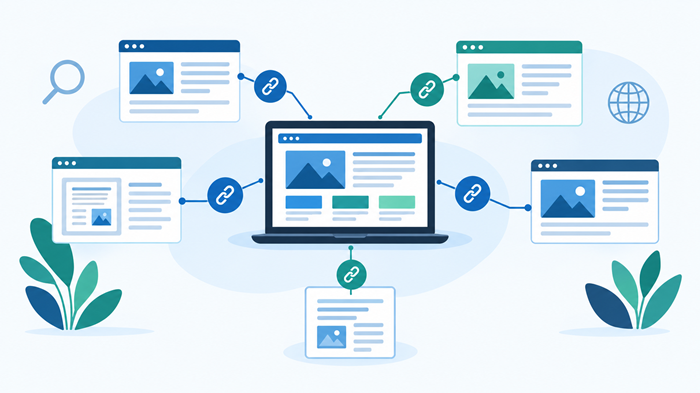
Internal links help visitors discover related information while helping search engines understand your site’s topical relationships.
Use descriptive anchor text and connect closely related pages naturally. Prioritize important commercial and informational pages instead of adding links simply to increase the number of links.
For businesses that need continuous design and development assistance, our unlimited web design service can support ongoing website improvements.
Agencies managing recurring WordPress work can also explore unlimited wordpress expert retainers as a structured way to handle continuous development and maintenance.
13. Optimize Titles and Headings
Each important page should have a clear title, useful meta description, and logical heading structure.
Use one clear H1 for the primary topic and supporting H2 and H3 headings where needed. Avoid repeating keywords simply for SEO.
Metadata should accurately communicate the page’s value. Strong titles and descriptions can make search results easier for users to understand and more compelling to click.
14. Make WordPress Web Design SEO-Friendly
Effective wordpress web design is about more than appearance. Design decisions can influence speed, accessibility, content hierarchy, mobile usability, and crawlability.
A visually impressive page can still perform poorly if it relies on excessive scripts, hides important content, or creates confusing navigation.
At Ducky Unlimited, we connect design and development decisions so that improving the visual experience does not unnecessarily compromise performance or search accessibility.
15. Connect Content With Technical Optimization
Technical work and content strategy should support each other. A technically healthy website still needs useful content that satisfies search intent.
Review whether important pages answer a clear question, provide genuine value, use appropriate headings, and connect naturally with related resources.
For larger online stores, businesses can also review custom WordPress ecommerce development cost, because ecommerce architecture, functionality, speed, and SEO requirements often influence development decisions.
16. Monitor Performance After Changes
SEO should be measured rather than assumed. Use Google Search Console, analytics platforms, crawling tools, and performance testing to monitor visibility, indexing, traffic, and technical errors.
Create a baseline before major development work. After deployment, compare the same metrics.
Unexpected drops can sometimes be caused by a noindex directive, redirect mistake, canonical change, migration issue, or development deployment rather than an algorithm update.
17. Build an Ongoing Maintenance Process
A healthy WordPress website needs regular attention after launch. Schedule recurring reviews for software updates, performance, broken links, redirects, sitemap health, security, and Search Console data.
This is particularly important for growing companies. Continuous improvements can prevent technical debt from accumulating and reduce the need for disruptive fixes later.
Our guide on why scaled agencies are embracing unlimited wordpress support explains how ongoing support can fit into a growing digital operation.
When Should You Hire a Technical SEO Expert?
Some technical issues are simple, while others require both SEO and development expertise. Migrations, JavaScript rendering, ecommerce architecture, international websites, indexing anomalies, performance problems, and plugin conflicts can become complex quickly.
This is where an experienced agency can provide significant value. Instead of applying isolated fixes, specialists can audit the site, prioritize issues by business impact, implement changes safely, and monitor the results.
At Ducky Unlimited, we bring SEO strategy and development execution together. Our goal with unlimited wordpress development support is to help businesses keep their websites technically healthy as their traffic, content, and business requirements grow.
Final Thoughts
A technically healthy WordPress website gives your content a stronger foundation for organic search. The process goes far beyond installing an SEO plugin or checking a basic list of settings.
Performance, architecture, indexing, security, internal links, mobile usability, and ongoing monitoring all contribute to the health of your website.
Ducky Unlimited takes an integrated approach to this work. We help businesses improve the technical foundation of their WordPress website while keeping development practical, scalable, and aligned with search visibility.
If your site has grown quickly, performance has declined, or technical SEO has become difficult to manage internally, professional support can turn scattered fixes into a clear optimization process.
FAQs
What is technical SEO for a WordPress website?
It improves crawlability, indexing, performance, security, architecture, and technical accessibility.
How often should a WordPress website receive a technical SEO audit?
A full audit is useful annually, with lighter technical monitoring performed throughout the year.
Can WordPress plugins affect SEO?
Yes, unnecessary or poorly maintained plugins can affect performance, security, and functionality.
Does website speed affect SEO?
Speed and page experience are important considerations, while faster pages can also improve usability and conversions.
Can an agency handle technical SEO and development?
Yes, an experienced agency can combine recurring development, maintenance, performance optimization, and SEO monitoring.