
 November 20, 2024
If you want your website to gain visibility on search engines, proper indexing by Google is a must. Without indexing, your content is essentially invisible to users searching for relevant terms. But what exactly is indexing, and how can you ensure your site is being indexed effectively? Let’s dive in.
What Is Google Indexing?
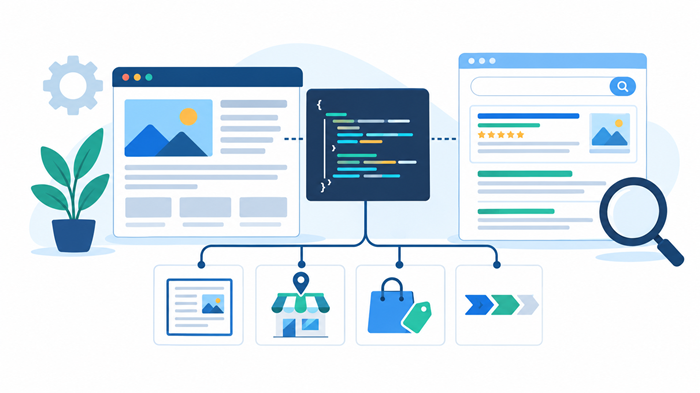
Google indexing is the process of adding a web page to Google’s database, allowing it to appear in search results. Google’s bots, also known as crawlers, scan your website for content and then decide whether it’s worth indexing. Think of indexing as Google filing your website in its massive library so users can easily find it.
Crawling and indexing are interconnected. Crawlers find your site, while indexing ensures your content is available for searches. Without proper indexing, your website is effectively invisible online.
Why Is Proper Indexing Crucial?
Impact on Search Rankings and Traffic
Proper indexing ensures your site’s pages are eligible to rank in search results. No indexing means no visibility—and no visibility means no traffic.
Role of Technical SEO
Technical SEO plays a significant role in ensuring your site is ready for Google’s crawlers. Addressing technical issues can significantly improve indexing rates. Check out technical SEO essentials to get started.
How to Check if Your Site Is Indexed
Using Google Search Console
Google Search Console is a free tool that shows which pages on your site are indexed and highlights errors preventing indexing.
Performing a Site Search Query
Typing site:yourdomain.com in Google’s search bar reveals indexed pages. This is a quick way to see what’s visible.
Regular audits are key to maintaining a healthy site. Learn how often you should audit your site for SEO.
Steps to Ensure Your Site Is Indexed
Submit Your Sitemap to Google
A sitemap acts as a roadmap for Google, guiding its crawlers to your site’s content. Submitting one through Search Console is simple and effective.
Optimize Your Site’s Crawlability
Ensure that your robots.txt file isn’t blocking important pages. Keep your internal linking structure clear and consistent to help crawlers navigate your site easily.
Fix Errors Reported in Search Console
Errors like 404s or server issues can prevent indexing. Regularly review and address these problems to maintain proper visibility.
Common Indexing Issues and How to Resolve Them
Duplicate Content
Duplicate content confuses Google and may lead to penalties. Use canonical tags to signal the primary version of a page.
Blocked Pages in Robots.txt
Ensure your robots.txt file isn’t inadvertently blocking pages you want indexed.
Resolving 404 Errors and Broken Links
Fixing these issues not only helps indexing but also improves user experience.
Role of Technical SEO in Indexing
Technical SEO ensures your site is optimized for crawling and indexing.
Optimizing Site Speed
A fast-loading site improves user experience and ensures Google can crawl more pages.
Structuring Your Website Effectively
A logical structure helps both users and search engines navigate your site. Learn more about the role of technical SEO for businesses.
Importance of Local SEO in Indexing
Local SEO can make your site more relevant to local searches, enhancing visibility for users in your area. Curious about its benefits? Check out this local SEO guide.
How Often Should You Audit Your Site?
Regular audits ensure your site stays in peak condition for indexing. Whether monthly, quarterly, or biannually, audits help you catch issues before they impact rankings. Learn how frequently to audit your site for SEO.
Conclusion
Ensuring your site is properly indexed by Google is essential for online visibility and success. By understanding the indexing process, optimizing your site’s crawlability, and addressing common issues, you can boost your chances of appearing in search results. Prioritize technical SEO and regular audits to keep your site in top shape.