
 October 21, 2026
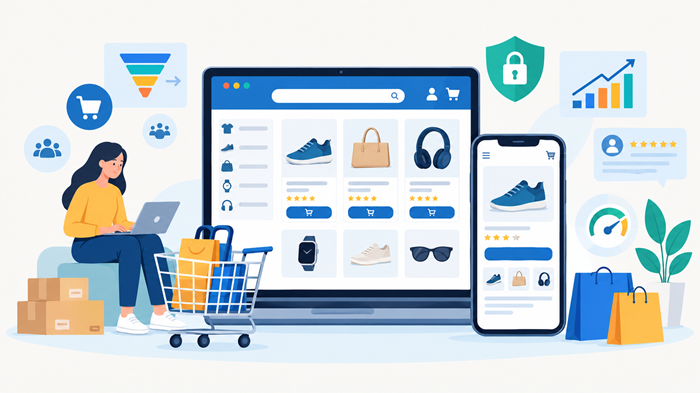
An online store can have an attractive design, quality products, and competitive prices, yet still lose customers because of slow pages, broken checkout buttons, or payment errors. This is why website testing tools are essential for maintaining a reliable shopping experience and protecting e-commerce revenue.
Testing helps businesses identify technical issues before customers encounter them. From mobile responsiveness and page speed to checkout functionality and security, the right testing process ensures that every part of an online store works as expected.
Whether you are launching a new store or improving an established business, understanding how to evaluate your website can help you reduce friction, improve customer satisfaction, and support long-term growth.
Key Takeaways
- Identify performance, usability, security, and checkout issues before they affect customers.
- Choose testing solutions based on your store’s platform, traffic, and technical requirements.
- Automate repetitive checks while retaining manual testing for complex shopping journeys.
- Test regularly across devices, browsers, payment methods, and website updates.
Why Website Testing Matters for E-Commerce Sites
An online store depends on several connected systems, including product listings, search filters, shopping carts, payment gateways, inventory management, and order confirmations. A problem in any of these areas can disrupt the buying journey.
Using website testing tools helps businesses detect these problems early, verify essential functionality, and maintain consistent performance as their stores grow.
1. Prevent Checkout and Payment Failures
Checkout is one of the most important parts of an online shopping experience. Incorrect shipping calculations, failed payment requests, or broken discount codes can prevent customers from completing purchases.
Testing the complete checkout journey helps confirm that customers can add products to their carts, apply promotions, select delivery options, make payments, and receive order confirmations.
2. Improve Website Speed and Performance
Slow-loading product pages can frustrate shoppers, particularly those browsing on mobile devices or slower internet connections. Performance testing identifies bottlenecks caused by oversized images, excessive scripts, inefficient code, or slow server responses.
Google’s Core Web Vitals provide useful performance benchmarks:
- Largest Contentful Paint (LCP): Measures loading performance, with 2.5 seconds or less considered good.
- Interaction to Next Paint (INP): Measures responsiveness, with 200 milliseconds or less considered good.
Explore: How to Improve INP for WordPress and Boost User Experience - Cumulative Layout Shift (CLS): Measures visual stability, with a score of 0.1 or less considered good.
These metrics help teams prioritize improvements that make shopping faster and more predictable.
3. Ensure a Consistent Mobile Shopping Experience
Customers shop using smartphones, tablets, laptops, and desktop computers. Product images, navigation menus, filters, and checkout forms must work correctly across different screen sizes.
Responsive testing verifies that content fits the available screen, buttons remain accessible, and customers can complete purchases without unnecessary zooming or horizontal scrolling.
4. Protect Customer Data and Website Security
E-commerce businesses handle sensitive information, including customer details and transaction data. Security testing helps uncover vulnerabilities such as outdated software, insecure configurations, broken access controls, and unsafe input handling.
Regular security checks, dependency updates, and payment-provider compliance reviews help reduce risks. Automated scans should complement, rather than replace, specialized security assessments.
Types of Website Testing Every Online Store Needs
Not every test checks the same aspect of an online store. A reliable testing strategy combines several approaches to cover the complete customer experience.
Functional Testing
Functional testing verifies that website features behave as intended. Examples include product searches, category filters, shopping carts, account registration, coupon codes, and order tracking.
For a growing store, automated regression tests can confirm that previously working features continue to function after updates.
Performance and Load Testing
Performance testing measures page speed, response times, and resource usage. Load testing examines how the website behaves when many visitors browse or purchase simultaneously.
These checks are particularly valuable before seasonal promotions, product launches, and major advertising campaigns.
Cross-Browser and Responsive Testing
Different browsers and devices can interpret website layouts and interactions differently. Responsive website testing tools help teams examine pages across viewport sizes, browsers, and operating systems.
Testing should include common customer journeys, not just the homepage. Product variations, navigation menus, cart updates, and payment forms deserve particular attention.
Accessibility Testing
Accessibility testing checks whether people with disabilities can navigate and use the store. Important areas include keyboard navigation, visible focus indicators, form labels, image alternative text, color contrast, and screen-reader compatibility.
Automated checks can identify many common issues, but manual testing remains necessary to evaluate real usability.
Best Website Testing Tools for E-Commerce Sites
The most suitable solution depends on your platform, technical resources, budget, and testing goals. The following options address different parts of the testing process.
1. Google PageSpeed Insights
PageSpeed Insights evaluates page performance using laboratory data and, where available, real-user data from the Chrome User Experience Report.
It provides Core Web Vitals measurements and recommendations for improving loading speed, responsiveness, and visual stability.
Best for: Store owners and developers who need to diagnose slow product pages, landing pages, and checkout-related performance issues.
2. Playwright
Playwright is an open-source browser automation framework that supports Chromium, Firefox, and WebKit. It can simulate user interactions, verify page content, and run repeatable end-to-end tests.
For example, a team can create a test that searches for a product, adds it to the cart, updates the quantity, and verifies the order summary.
Best for: Development teams that need repeatable browser tests across multiple browsers.
3. Selenium
Selenium is a widely used browser automation framework that supports multiple programming languages and browser environments.
It can automate important customer journeys, including account creation, product selection, and checkout validation. Its flexibility makes it useful for established testing environments, although setup and maintenance require technical expertise.
Best for: Businesses with existing automation frameworks or complex browser-testing requirements.
4. BrowserStack
BrowserStack provides access to browser and device environments for testing websites across different configurations.
Teams can investigate layout inconsistencies, browser-specific errors, and mobile usability problems without maintaining every physical device themselves.
Best for: Businesses that serve customers across a wide range of devices and browsers.
5. Apache JMeter
Apache JMeter is an open-source application designed for load and performance testing. It can simulate concurrent requests and help teams assess how servers and connected services respond under pressure.
For online stores, this is useful when preparing for traffic spikes or evaluating backend performance.
Best for: Technical teams that need to assess server capacity and application performance.
6. OWASP ZAP
OWASP ZAP is an open-source web application security testing tool that helps identify potential vulnerabilities.
It can support security assessments of web applications, but scan results need careful interpretation. Testing should take place only on systems you own or have explicit permission to assess.
Best for: Development and security teams looking for an accessible starting point for web application security testing.
7. Lighthouse
Lighthouse audits web pages for performance, accessibility, SEO-related checks, and selected development best practices.
It is useful during development because teams can run audits repeatedly and compare results after making changes.
Best for: Developers who want a practical way to identify page-level quality issues before release.
Together, these best website testing tools cover performance, automation, compatibility, and security. Most stores do not need every tool immediately; a focused combination based on business priorities is usually more effective.
How to Choose Website Testing Tools for Your Online Store
Choosing software is easier when you start with the problems you need to solve rather than the number of features a platform offers.
Match the Tool to Your Testing Goals
First, identify your highest-risk areas. A store experiencing slow product pages should prioritize performance diagnostics, while a business frequently updating its checkout may benefit more from browser automation.
Consider these priorities:
- Performance: Measure page speed, server response, and Core Web Vitals.
- Functionality: Verify product searches, carts, discounts, and order processing.
- Compatibility: Check layouts and interactions across browsers and devices.
- Security: Identify vulnerabilities and review application configurations.
- Scalability: Test how the website behaves during high traffic.
Evaluate Automation and Integration
Automated website testing tools can reduce repetitive work by running predefined tests whenever code changes or a new release is prepared.
Look for integrations with your development workflow, reporting systems, and continuous integration pipelines. Clear error reports and reproducible test steps are often more valuable than an extensive feature list.
Consider Your Team’s Technical Skills
Small businesses may begin with browser-based auditing services and a handful of manual test cases. Larger teams may require scripted tests, parallel execution, scheduled monitoring, and integration with issue-tracking systems.
The objective is to establish a sustainable testing process that the team can maintain consistently.
How to Build an Effective E-Commerce Testing Workflow
The value of website testing tools increases when testing follows a clear, repeatable process.
Step 1: Establish a Baseline
Measure the current website’s speed, accessibility, compatibility, and checkout reliability. Record the results so future improvements can be evaluated against a known starting point.
Include representative product pages, category pages, search results, and checkout steps.
Step 2: Prioritize Critical Customer Journeys
Map the path from discovering a product to receiving an order confirmation. Identify the steps where failures could prevent a sale or damage customer trust.
Start with high-impact journeys, including account login, adding products to the cart, applying discounts, selecting shipping, and completing payment.
Step 3: Combine Automated and Manual Checks
Automation is ideal for repetitive tasks, regression checks, and consistent browser interactions. Manual testing is still important for evaluating design quality, accessibility, confusing instructions, and unexpected customer behavior.
A balanced process uses automation to improve coverage while reserving human review for issues that require judgment.
Step 4: Test Before and After Every Major Release
Run essential regression tests before publishing significant updates. After deployment, verify that the live store behaves correctly and that monitoring systems show no unexpected increase in errors or response times.
Automated checks should also run periodically, because third-party integrations and infrastructure can change even when the store’s code does not.
Step 5: Track Results and Improve Continuously
Record defects, assign severity levels, and monitor how quickly critical issues are resolved. Review performance metrics and checkout failures alongside conversion rates and customer feedback.
This process helps teams identify recurring problems and decide which improvements deserve attention first.
How Website Design and SEO Affect Testing
Testing works best when it is part of a broader strategy for building and maintaining a successful online store.
Create a Reliable Shopping Experience Through Better Design
A clear navigation structure, readable product descriptions, consistent calls to action, and predictable checkout steps make an online store easier to use.
Businesses investing in e-commerce website development should test usability alongside technical functionality. An attractive interface is only effective when customers can interact with it successfully.
Working with an experienced e-commerce website development company can help businesses establish testing standards during development rather than treating quality assurance as an afterthought.
For businesses that need ongoing creative and technical support, Ducky Unlimited is a top-rated web design agency to consider when evaluating options for design and website improvement. Our unlimited web design offering is relevant to businesses looking for ongoing design support as their digital presence evolves.
Connect Testing With Search Visibility
Technical problems can undermine the experience search visitors encounter after landing on a product page. Broken links, poor mobile usability, slow loading, and inaccessible content can all create avoidable obstacles.
A strong optimization plan should complement testing with practical SEO strategies for e-commerce website improvements, including useful product information, crawlable navigation, and appropriate page metadata.
When building a new store, planning for building an e-commerce site with guarantee of selling should also involve realistic expectations. No design or development process can guarantee sales, but a well-structured website, relevant products, effective marketing, and reliable checkout can improve the conditions for growth.
Use Testing Insights to Improve Conversions
Technical reliability is only one part of conversion optimization. Product clarity, pricing transparency, shipping information, customer reviews, and checkout simplicity also influence purchasing decisions.
Businesses focused on improving conversion rates of e-commerce site can use testing results to identify friction and measure whether changes improve customer behavior.
For more structured experimentation, A/B testing tools for business growth can help teams compare alternative page layouts, calls to action, and customer experiences using measurable results.
Common E-Commerce Testing Mistakes to Avoid
Even a well-equipped team can overlook important problems when testing is inconsistent or too narrowly focused.
- Testing only the homepage: Product details, cart behavior, and payment flows require independent checks.
- Ignoring real devices: Desktop simulations cannot reveal every mobile interaction or browser-specific issue.
- Automating everything: Automated results do not replace usability reviews, accessibility evaluation, or expert security assessments.
- Testing only before launch: Updates, integrations, and traffic changes can introduce new problems.
- Ignoring failed test reports: Repeated warnings should be investigated, prioritized, and resolved rather than dismissed.
- Relying on a single score: A good performance score does not prove that checkout, security, or accessibility is working correctly.
Avoiding these mistakes helps make testing a dependable business process instead of a one-time technical exercise.
Conclusion
A reliable online store requires more than a polished design and a strong product catalog. Performance, functionality, security, accessibility, and compatibility all contribute to a smooth shopping experience.
Selecting appropriate website testing tools allows businesses to catch problems early, reduce avoidable disruptions, and maintain quality as their stores evolve. Start with your most important customer journeys, establish a repeatable testing workflow, and use measurable results to guide improvements.
Consistent testing is not simply a technical responsibility. It is an investment in customer confidence, operational reliability, and sustainable e-commerce growth.
Frequently Asked Questions
1. What are website testing tools used for in e-commerce?
They help identify performance, functionality, security, accessibility, and compatibility issues that could disrupt online shopping.
2. Which website testing tool is best for an online store?
The right choice depends on the goal: PageSpeed Insights for performance, Playwright for browser automation, and JMeter for load testing.
3. How often should an e-commerce website be tested?
Test before major releases, after important changes, and regularly through automated checks and ongoing monitoring.
4. Can automated testing prevent checkout errors?
Automated tests can detect many checkout problems, but payment-provider changes, unusual scenarios, and live transaction issues still require additional checks.
5. Do small e-commerce businesses need website testing?
Yes. Even a small store benefits from basic performance audits, mobile checks, security reviews, and regular verification of its checkout process.