
 January 20, 2025
Crawl errors can be a major roadblock to achieving optimal website performance and search engine rankings. If search engine bots can’t properly crawl your site, your pages may not appear in search results, leading to lost traffic and missed opportunities. This guide will walk you through fixing crawl errors step by step, ensuring your website is on the path to SEO success.
What Are Crawl Errors?
Crawl errors occur when search engine bots, like Googlebot, cannot access a webpage on your site. These issues fall into two main categories:
- Site Errors: Affect your entire website, such as server errors or DNS issues.
- URL Errors: Impact specific pages, like 404 errors (page not found) or blocked URLs.
Understanding and addressing these errors is a critical component of technical SEO, which ensures your website’s infrastructure is optimized for search engines.
Step 1: Use Google Search Console to Identify Errors
Google Search Console (GSC) is your go-to tool for detecting crawl errors. Follow these steps:
- Log in to your GSC account.
- Navigate to the “Index Coverage” report.
- Review the list of errors and warnings, such as “Server Errors,” “Soft 404s,” or “Redirect Errors.”
By identifying the root cause of crawl errors, you can begin addressing them systematically. For additional tips on enhancing your website’s SEO, check out this guide on top SEO strategies for e-commerce websites.
Step 2: Fix Common Crawl Errors
Here’s how to resolve some of the most common crawl errors:
- 404 Errors: Redirect the broken URL to a relevant page using a 301 redirect or create a new page if appropriate.
- Server Errors (5xx): Check your server logs and address issues like high traffic, faulty plugins, or hosting limitations.
- Blocked Resources: Review your robots.txt file to ensure important pages and resources aren’t blocked.
Addressing these issues is an essential part of on-page SEO optimization, as it ensures every element of your website is accessible to both users and search engines.
Step 3: Optimize Your Website’s Structure
A well-structured website is easier for search engine bots to crawl. Consider the following:
- Sitemap: Create and submit an XML sitemap to Google Search Console.
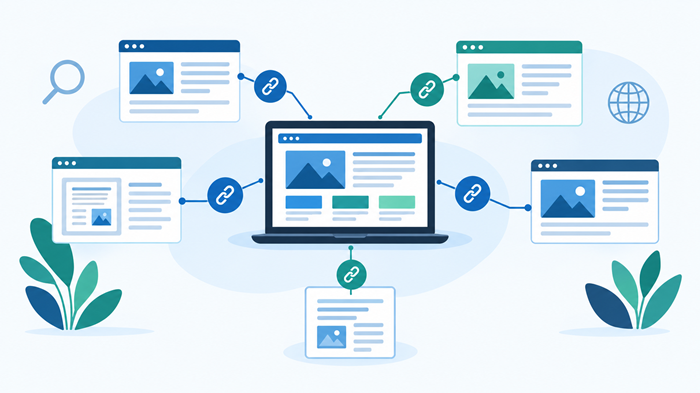
- Internal Linking: Use strategic internal links to guide bots and users to important pages. For example, linking to relevant resources like technical SEO benefits can improve navigation and authority.
- Mobile-Friendly Design: Ensure your site is responsive and optimized for mobile devices.
Step 4: Regularly Monitor Crawl Reports
SEO is an ongoing process. Regularly check your crawl reports in GSC to identify and resolve new errors. By staying proactive, you can maintain your site’s health and avoid losing traffic due to unresolved crawl issues.
Step 5: Audit Your Website’s Technical SEO
Performing a technical SEO audit ensures that crawl errors don’t resurface. Focus on improving site speed, fixing duplicate content issues, and ensuring proper use of canonical tags. Learn more about how technical SEO contributes to your website’s overall success.
Final Thoughts
Fixing crawl errors is a crucial step in optimizing your website for search engines. By addressing these issues, you improve your site’s visibility, usability, and performance—all of which contribute to better rankings and user satisfaction.
For more resources on improving your website’s SEO, explore Ducky Unlimited comprehensive SEO services. Take control of your crawl errors and watch your website climb the search engine rankings.