June 9, 2025
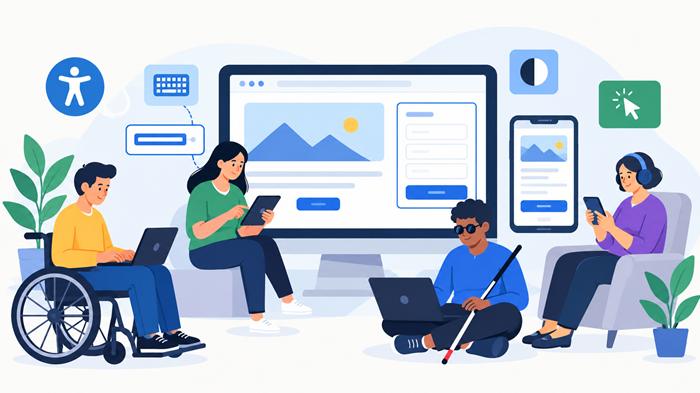
When we talk about web design, we usually focus on things like aesthetics, user experience, and mobile responsiveness. But there’s one critical piece that often gets overlooked—accessibility. Designing an accessible website isn’t just about doing the right thing; it’s about making sure everyone, regardless of their abilities, can engage with your content.
In this blog post, we’re diving deep into what it means to design for accessibility, why it’s important, how to do it right, and how accessibility can actually benefit your website’s SEO, performance, and scalability.
What Is Web Accessibility and Why Does It Matter?
Web accessibility means creating websites that people with disabilities can perceive, understand, navigate, and interact with effectively. That includes users with:
- Visual impairments (e.g. blindness, color blindness)
- Hearing impairments
- Mobility limitations
- Cognitive disabilities
When your site is accessible, you’re not excluding potential customers or users, and you’re also aligning with legal and ethical standards, like the Americans with Disabilities Act (ADA) and WCAG guidelines.
Key Principles of Accessible Web Design
Designing for accessibility doesn’t mean compromising on creativity. In fact, it enhances usability for everyone. Some of the key principles of effective web design, including accessibility, are covered in detail in this comprehensive guide.
Here are some accessibility principles you should always keep in mind:
1. Perceivable Content
- Use alt text for images
- Offer transcripts for video/audio content
- Ensure high color contrast
2. Operable Interface
- Make sure everything is keyboard-navigable
- Avoid time-sensitive elements that can’t be paused
3. Understandable Design
- Use clear, readable fonts
- Provide consistent navigation
4. Robust Content
- Ensure compatibility with screen readers and assistive technologies
Inclusive Design Enhances User Experience
Think about it—when your site is easy to use for someone with limited vision, it’s also easier to use for someone on a low-resolution device or in bright sunlight. When you build for accessibility, you enhance UX across the board.
Accessible Design and SEO Go Hand-in-Hand
Google loves accessibility. Why? Because accessible sites are better structured, more usable, and mobile-friendly. For example:
- Alt text = more image indexing opportunities
- Clean HTML = better crawlability
- Structured headings = improved SEO ranking
So if you’re wondering whether accessibility is worth the effort, remember this: what helps people helps search engines too.
Hiring Help: Freelancer vs. Web Design Agency
Implementing accessibility features can be a bit overwhelming if you’re going it alone. If you’re planning to revamp or build a new site, consider whether a web design agency or a freelancer is a better fit. This comparison guide breaks down the pros and cons for both, with accessibility in mind.
In general:
- Freelancers might be more budget-friendly
- Agencies often have dedicated accessibility experts and QA teams
How Much Should You Budget for Accessibility?
A common question is: How much should I charge (or pay) for accessible website design? Accessibility features may raise the price, but not dramatically. In fact, they should be part of a solid design quote from the get-go. Check out this helpful guide on how much to charge for website design to learn more about pricing models and expectations.
Designing for Scalability and Performance
Accessibility is not an afterthought—it’s a performance booster. Sites designed with clean code and structured content load faster and are easier to maintain. Learn how unlimited development models support scalability and performance in this deep dive.
Quick Checklist for Accessible Web Design
Here’s a short but powerful list to guide your accessible design strategy:
✅ Add meaningful alt text to images
✅ Use semantic HTML tags (like <nav>, <main>, <article>)
✅ Create keyboard-navigable menus and forms
✅ Enable text resizing and high-contrast modes
✅ Use descriptive link text (e.g., “Download the Accessibility Guide” instead of “Click here”)
✅ Ensure your site passes accessibility testing tools like WAVE or Axe
Common Mistakes to Avoid
- Using color as the only means of conveying information
- Skipping form labels
- Auto-playing videos with sound
- Ignoring mobile accessibility
- Failing to provide skip-to-content links
Avoid these, and you’re already halfway to a more inclusive website.
Conclusion: Make Accessibility a Priority, Not an Option
Designing an accessible website isn’t just about ticking boxes for compliance—it’s about creating a better experience for everyone. From users with disabilities to mobile users on the go, inclusive design pays dividends in SEO, UX, and even customer loyalty.
So whether you’re just starting or revamping your existing site, build accessibility into your process. It’s not only the right thing to do—it’s also smart business.