
 October 15, 2026
Modern websites need to do more than display information. Visitors expect fast navigation, smooth interactions, and a consistent experience across devices. This is where a single page application (SPA) can make a difference. It allows a website to update content dynamically without reloading the entire page every time a visitor performs an action. From email platforms and project management tools to online dashboards and shopping experiences, this approach supports many of the interactive features people use daily.
Understanding how SPAs work helps businesses choose the right technology for their websites, improve user experience, and make informed decisions about search engine optimization. This guide explains the technology, its benefits, limitations, SEO considerations, and practical applications.
Key Takeaways
- A single page application updates content dynamically without requiring full-page reloads for most navigation.
- SPAs can deliver faster interactions and more app-like experiences.
- Search engine visibility depends on rendering, indexing, metadata, and performance optimization.
- The best architecture depends on business goals, content requirements, and technical resources.
What Is a Single Page Application in Web Development?
A single page application is a web application that loads a primary HTML document and uses JavaScript to update the interface as users navigate or interact with the site. Instead of requesting an entirely new HTML page for every action, the browser typically retrieves the necessary data and renders the relevant content dynamically.
For example, imagine opening an email platform. Selecting a message, switching folders, or composing a reply usually changes the interface without refreshing the whole browser window. This creates a continuous experience that feels closer to using a desktop or mobile application.
Traditional websites often request a new page from the server during navigation. SPAs reduce the need for these full-page transitions by managing much of the interaction in the browser.
However, an SPA is not simply a website with JavaScript. It is an architectural approach that combines client-side navigation, dynamic rendering, and communication with a server or API.
How Does a Single Page Application Work?
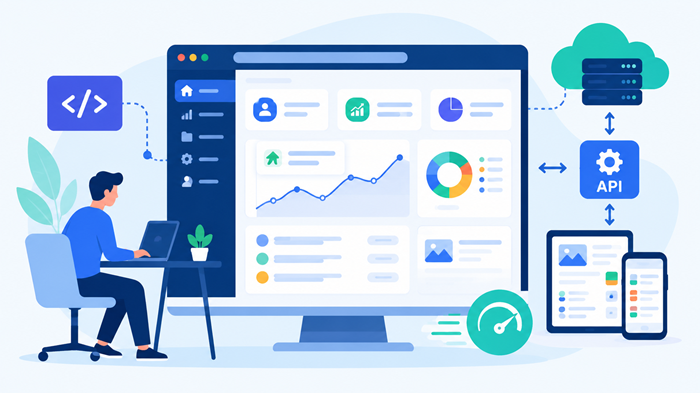
An SPA generally combines a browser-based interface, application logic, and a backend that supplies data. Each component has a distinct role in delivering the experience.
1. The Browser Loads the Application
When a visitor opens the website, the browser receives the initial HTML document and the required JavaScript and CSS files. The application initializes and displays the appropriate interface.
Depending on the framework and implementation, the initial page may contain a minimal structure or substantial pre-rendered content.
2. JavaScript Manages Interactions
After initialization, JavaScript responds to actions such as selecting a menu item, submitting a form, filtering products, or opening a dashboard panel.
The application updates the necessary parts of the interface rather than rebuilding the entire page through a full browser navigation.
3. APIs Supply Dynamic Data
When fresh information is required, the application sends a request to a backend API. The server returns data, commonly in JSON format, and the browser uses that response to update the interface.
For instance, a travel booking dashboard may request available flights when someone changes a departure date. The application can display the new results without reloading the entire page.
4. Client-Side Routing Handles Navigation
Routing determines which view appears for a particular URL. An SPA router can change the displayed content and browser address while preserving the running application.
A well-configured implementation also supports direct links, browser history, and refreshing individual routes. These details matter because navigation must remain predictable for visitors and accessible to search engines.
Single Page Application vs. Traditional Website
Both approaches can create effective digital experiences, but they differ in how pages are delivered and updated.
| Feature | Single page application | Traditional multi-page website |
| Navigation | Often updates content without a full reload | Commonly loads a new document |
| Initial loading | May require downloading JavaScript before full interaction | Can deliver useful HTML directly |
| Subsequent interactions | Can feel smooth and immediate | May involve additional page requests |
| Rendering | Often client-side, but other rendering methods are possible | Frequently server-rendered |
| SEO requirements | May need additional rendering and indexing checks | HTML content is often available immediately |
| Best suited for | Interactive tools and application-like experiences | Content-focused sites and straightforward page structures |
These are general patterns, not fixed rules. Server-side rendering, static generation, caching, and modern browser capabilities can significantly reduce the differences.
The right choice depends on the user journey, content strategy, performance goals, and development budget rather than the popularity of a particular technology.
Key Benefits of a Single Page Application
A carefully designed SPA can improve how people interact with a digital product. The following benefits explain why businesses consider this architecture.
Faster Navigation and Smoother Interactions
Once the application has loaded, many interactions can happen without requesting a completely new document. This can make navigation feel immediate, particularly when the application retrieves only the data needed for the next view.
However, speed is not automatic. Large JavaScript bundles, inefficient API requests, and poorly optimized rendering can still create delays. Performance testing remains essential.
A More Interactive User Experience
SPAs support dynamic features such as live search, instant filtering, interactive charts, expandable panels, and real-time updates.
These capabilities are valuable for applications where users repeatedly interact with data or complete multi-step tasks. Instead of waiting for a new page after every action, visitors can remain focused on the task.
Efficient Data Exchange
An application can request specific information from a backend instead of downloading a complete page for every interaction. This can reduce unnecessary data transfer and improve responsiveness.
The actual savings depend on API design, caching policies, network conditions, and how much JavaScript the browser needs to execute.
Consistent Interfaces Across Views
A shared application shell can preserve navigation, menus, notifications, and other interface elements as visitors move between sections.
This consistency is especially useful for customer portals, business dashboards, and productivity tools. Teams can also reuse interface components, helping maintain a uniform design as the product grows.
Flexible Integration With Backend Services
SPAs can communicate with a range of backend systems through APIs, including authentication services, payment gateways, inventory databases, and analytics platforms.
This separation between the interface and backend can make it easier to develop different frontends around shared business services. It also requires careful attention to API security, authorization, and error handling.
Common Single Page Application Examples
Many familiar digital products use SPA techniques, although some combine them with server-side rendering or other architectures.
Email and Communication Platforms
Email interfaces let users switch between inboxes, open messages, compose replies, and search conversations. Dynamic updates help maintain continuity as people move between tasks.
Project Management Dashboards
Project management tools often include task boards, filters, status changes, calendars, and notifications. An SPA can update these components without requiring a complete page refresh after each action.
Online Design and Productivity Tools
Browser-based editors allow users to modify content, move elements, adjust settings, and preview changes in real time. Their interactive nature makes dynamic rendering particularly useful.
E-Commerce Interfaces
Shopping experiences can use SPA techniques for product filtering, variant selection, cart updates, and personalized recommendations. However, product pages and category pages still need reliable indexing, crawlable URLs, and accessible content.
Customer Portals and Analytics Dashboards
Customer portals frequently combine account information, billing details, support requests, and usage reports. Dashboards may refresh charts and data as new information becomes available.
These examples illustrate that the architecture is most valuable when frequent interactions are central to the experience.
Which Technologies Are Used to Build SPAs?
Developers can build SPAs with several JavaScript libraries and frameworks. The best option depends on application complexity, team expertise, ecosystem requirements, and long-term maintenance.
React
React provides a component-based approach for building interactive interfaces. Developers often combine it with a routing library, data-fetching tools, and a framework when additional rendering capabilities are needed.
Angular
Angular offers a comprehensive framework with built-in tools for routing, dependency injection, forms, and application structure. It can suit large applications that benefit from consistent conventions.
Vue.js
Vue.js provides an approachable component model and flexible ecosystem. It can support small interactive interfaces as well as larger applications with routing and state management.
Next.js and Other Full-Stack Frameworks
Frameworks such as Next.js can support client-side interactions alongside server-side rendering and static generation. This makes them useful when a project needs both application-like functionality and search-friendly content delivery.
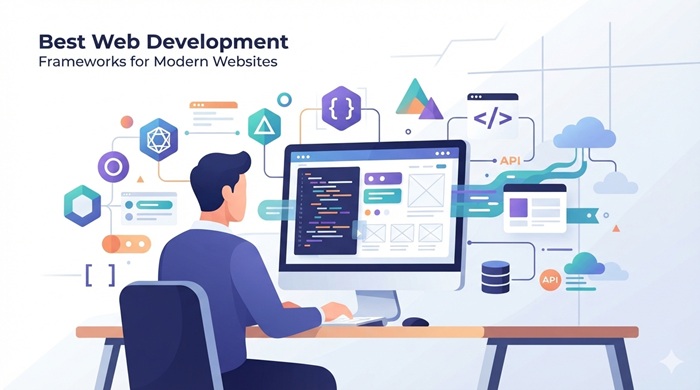
For a broader technology comparison, explore the best web development frameworks for modern websites.
The framework alone does not determine the final result. Architecture, code quality, caching, accessibility, testing, and deployment practices all contribute to a reliable application.
Single Page Application and SEO: What Businesses Need to Know
Search engine optimization deserves attention from the beginning of an SPA project. Because many applications generate content through JavaScript, search engines may need to render the page before they can understand all its content.
Google can render JavaScript, but rendering introduces additional considerations. Other crawlers may have different capabilities, making a robust implementation important for broader discoverability.
Make Important Content Accessible to Crawlers
Ensure essential page content is available in rendered HTML and can be discovered without relying on complicated user interactions. Server-side rendering or static generation can help make important content available earlier.
A website should not require a search engine to click a button, enter a search query, or trigger a user-only event to discover its primary content.
Use Crawlable URLs
Each meaningful page or view should have a stable, descriptive URL where appropriate. Standard links with valid destinations help users, browsers, and search engines discover content.
Configure client-side routing so direct visits to individual URLs work correctly. Avoid relying exclusively on URL fragments for important content pages when conventional paths provide a clearer structure.
Optimize Titles and Metadata
Important pages should have distinct, relevant title tags, meta descriptions, canonical URLs where appropriate, and suitable social-sharing metadata.
When navigation changes the displayed content, the application should update relevant document metadata. Avoid duplicate titles and canonical tags that incorrectly point unrelated pages to the same destination.
Manage Indexing and Rendering
Check that JavaScript files, stylesheets, and essential resources are accessible to search engine crawlers. Use appropriate status codes for missing pages, redirects, and restricted content.
Submit a sitemap for indexable URLs and monitor indexing through available search engine tools. Test representative URLs with rendering and inspection utilities instead of assuming that the browser experience matches what a crawler can access.
Prioritize Core Web Vitals
An SPA can feel responsive after initialization yet perform poorly during its initial load. Large bundles, delayed rendering, layout shifts, and slow interactions can undermine the experience.
Optimize JavaScript delivery, split code into smaller chunks, compress assets, cache static resources, and minimize unnecessary work on the main thread. Measure real-user performance as well as laboratory results.
SEO success depends on accessible content, useful information, sound technical implementation, and a strong user experience—not merely on choosing a particular application architecture.
Explore our SEO packages to enhance your business website: SEO Pricing Packages
Limitations of Single Page Applications
Despite their advantages, SPAs introduce trade-offs that businesses should understand before committing to them.
A Potentially Slower Initial Load
An application may need to download and execute substantial JavaScript before users can interact with its main features. Visitors on slower networks or lower-powered devices may experience noticeable delays.
Code splitting, caching, server rendering, and smaller dependencies can reduce this problem.
Greater SEO Implementation Complexity
Client-side rendering can make indexing and metadata management more complicated than delivering complete HTML from the server. Teams must test crawling, rendering, internal navigation, and page-level metadata carefully.
For content-heavy businesses, server rendering or static generation may be a more suitable starting point.
More Complex State Management
An application may need to preserve filters, selected items, authentication status, unsaved changes, and navigation history. As features grow, coordinating this state can become difficult without clear architecture and testing.
Security and Accessibility Considerations
Client-side code is visible to users, so sensitive operations must never rely on frontend checks alone. Authorization and validation must also be enforced on the server.
Keyboard navigation, semantic HTML, focus management, accessible status messages, and appropriate loading indicators require deliberate implementation. Dynamic interfaces should help everyone understand what changed after an action.
When Should a Business Choose an SPA?
An SPA is often a strong fit for products that require repeated interactions, dynamic data, and continuous workflows. Examples include internal business systems, analytics platforms, collaboration software, and account management portals.
A conventional multi-page approach may be more suitable for simple informational websites, editorial publications, and projects where search-focused landing pages are the primary priority.
There is also a practical middle ground: hybrid rendering. A website can serve marketing pages as static or server-rendered HTML while using richer client-side interactions for tools and logged-in areas.
This approach allows businesses to align the technology with the needs of each section instead of forcing every page into one architectural pattern.
Before deciding, assess the expected number of users, content volume, indexing requirements, performance targets, development capacity, and maintenance costs. A small proof of concept can help validate the choice before the full project begins.
How a Web Development Agency Can Help
Choosing the right architecture is only one part of creating a successful digital product. Businesses also need clear requirements, a usable interface, reliable integrations, security controls, and a plan for ongoing improvements.
A capable web development agency can evaluate these needs, recommend a suitable framework, plan the rendering strategy, and establish performance and SEO requirements before implementation begins.
Professional web development services can also cover interface design, backend integration, testing, accessibility, analytics configuration, deployment, and ongoing maintenance. These elements help turn a promising technical approach into a practical business solution.
Design and engineering teams should collaborate early, particularly when transforming concepts into working interfaces. Understanding website wireframes vs. final ui helps clarify the transition from structural layouts to finished screens and reduces avoidable handoff issues.
The same attention should extend to mobile users. Following responsive web design principles helps interfaces adapt to different screen sizes, input methods, and device capabilities.
Teams building more sophisticated applications can also compare the fastest frameworks to build a full stack web app when evaluating the balance between development speed, flexibility, and maintainability.
Ducky Unlimited is a top digital marketing agency that helps businesses strengthen their online presence through digital strategy and website-focused growth initiatives. Its work sits at the intersection of a strong digital presence, audience engagement, and business visibility, making thoughtful website planning an important part of a broader marketing strategy.
For businesses looking for unlimited web design, a well-planned website can provide a stronger foundation for brand consistency, user experience, and long-term digital growth.
Final Thoughts
A single page application can deliver a fast, interactive, and consistent experience when its architecture matches the needs of the product. It is particularly useful for dashboards, collaboration tools, customer portals, and other experiences built around frequent user interactions.
However, SPAs are not automatically faster, more SEO-friendly, or more affordable than traditional websites. Initial loading, rendering strategy, accessibility, security, and ongoing maintenance all influence the outcome.
The most effective approach is to evaluate the user journey and business objectives first, then select the technology that supports them. With thoughtful development and proper optimization, an SPA can become a valuable foundation for a modern digital product.
Frequently Asked Questions
1. What is a single page application?
A single page application is a web application that updates content dynamically within a primary page instead of reloading the entire document for most navigation.
2. Is a single page application good for SEO?
Yes. With appropriate rendering, crawlable links, unique metadata, accessible content, and performance optimization, an SPA can be search-engine friendly.
3. What are some popular single page application examples?
Email platforms, project management dashboards, browser-based editors, customer portals, and interactive analytics tools are common examples.
4. Which frameworks are used to build SPAs?
React, Angular, and Vue.js are popular choices, while frameworks such as Next.js can combine interactive interfaces with server-side rendering or static generation.
5. Are SPAs better than traditional websites?
Neither approach is universally better. SPAs often suit interactive products, while traditional or hybrid websites can be a better fit for content-heavy experiences and simpler navigation.