
 October 28, 2026
Understanding what is WCAG 2.2 helps businesses create websites that are accessible, user-friendly, and easier for people with different abilities to navigate. Web accessibility is no longer just a design consideration; it is an important part of building trustworthy digital experiences, reducing usability barriers, and reaching a wider audience.
WCAG 2.2 introduces additional accessibility success criteria that address common challenges involving keyboard navigation, touch interactions, focus visibility, and authentication. For website owners, designers, developers, and businesses investing in digital services, understanding these requirements can make website improvements more practical and measurable.
Key Takeaways
- WCAG 2.2 expands accessibility guidance with nine new success criteria compared with WCAG 2.1.
- Level AA is a practical target for many businesses seeking comprehensive web accessibility.
- Accessible design improves usability for people with disabilities and benefits other users.
- Buyers should evaluate accessibility expertise, while sellers should build accessibility into their design and development processes.
What Is WCAG 2.2?
WCAG 2.2 stands for Web Content Accessibility Guidelines 2.2, a W3C standard that explains how to make websites and digital content more accessible to people with disabilities.
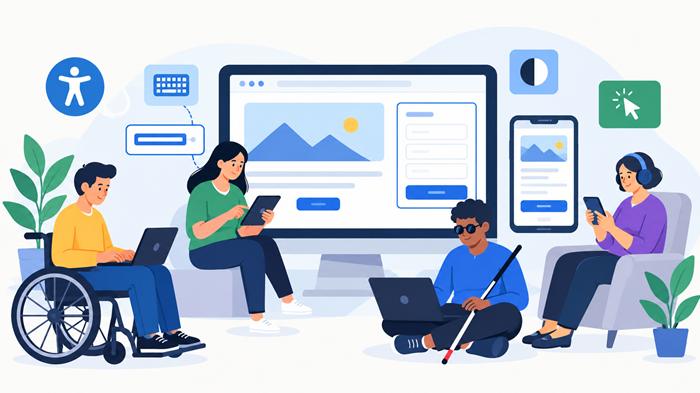
The guidelines address barriers experienced by people with visual, auditory, physical, speech, cognitive, language, and neurological disabilities. They also help people experiencing temporary limitations, such as using a phone in bright sunlight or navigating a website with an injured hand.
The WCAG 2.2 standard builds on earlier versions by introducing additional criteria that improve navigation, interaction, and accessibility across modern digital interfaces. It applies to website content, forms, navigation menus, buttons, online shopping experiences, and other interactive elements.
For businesses, WCAG 2.2 offers a structured way to evaluate accessibility rather than relying on subjective design preferences. It helps teams identify problems, prioritize improvements, and create more inclusive digital products.
Why Was WCAG 2.2 Introduced?
Earlier accessibility standards addressed many important barriers, but evolving website interfaces and authentication systems created additional challenges.
For example, a user might be unable to complete a purchase because a checkout page requires a difficult dragging motion. Another user might lose track of a focused form field because a fixed navigation bar covers it.
WCAG 2.2 introduces criteria that address these and other practical problems. The goal is to make digital experiences more usable for people with different abilities, devices, and interaction methods.
Understanding the WCAG 2.2 Accessibility Principles
WCAG 2.2 follows four foundational principles, commonly summarized as POUR. These principles provide the framework for evaluating accessible digital experiences.
1. Perceivable
Website information and interface elements must be presented in ways users can perceive.
Examples include providing meaningful alternative text for informative images, captions for relevant videos, and sufficient text contrast against background colors. Content should not depend exclusively on color to communicate important information.
2. Operable
Users must be able to navigate and interact with website functionality.
Keyboard accessibility, visible focus indicators, understandable navigation, and adequate interaction targets help people use websites without relying exclusively on a mouse or precise touch gestures.
3. Understandable
Website content and functionality should behave predictably and communicate information clearly.
Descriptive form labels, helpful error messages, consistent navigation, and clear instructions reduce confusion. Users should understand what information a form requires and how to correct mistakes.
4. Robust
Digital content should work reliably with different browsers, devices, and assistive technologies.
Using semantic HTML, correctly identifying interface controls, and maintaining valid relationships between labels and form fields helps assistive technologies interpret website content accurately.
What Changed in WCAG 2.2?
The main purpose of WCAG 2.2 is to address accessibility challenges that were not fully covered by earlier criteria. The W3C published this version as a Recommendation on October 5, 2023.
It introduced nine new success criteria compared with WCAG 2.1. One criterion from the previous version, concerning parsing, was removed, so the total number of criteria increased by eight.
The additional requirements cover several practical areas of website design and development.
Focus Visibility and Keyboard Navigation
People who navigate with a keyboard need to identify which button, link, or form field currently has focus.
WCAG 2.2 adds requirements for focus visibility and situations where interface elements may obscure focused components. Designers should check sticky headers, floating banners, cookie notices, and fixed footers to ensure they do not hide the element a user needs to see.
A clear outline, sufficient contrast, and sensible spacing can make keyboard navigation more reliable.
Accessible Dragging and Touch Targets
Some interfaces rely on dragging items to reorder lists, move objects, or operate interactive controls. The new criteria address alternatives to dragging movements and minimum target sizes.
For example, an online store could offer up and down buttons alongside drag-and-drop functionality. A mobile interface could increase the size or spacing of frequently used controls to reduce accidental taps.
These improvements can benefit people with limited dexterity, users operating mobile devices with one hand, and people using alternative input devices.
Accessible Authentication
Authentication should not create unnecessary barriers for people with cognitive disabilities or those who use assistive technologies.
WCAG 2.2 includes criteria addressing cognitive function tests during authentication. Depending on the applicable criterion and its exceptions, sites may need to support alternatives to tasks such as remembering passwords or solving puzzles without assistance.
Password managers, copy-and-paste support, and compatible authentication methods can help make account access more accessible.
Consistent Help and Reduced Repeated Entry
Users should be able to locate available help consistently across related pages. Websites must also reduce unnecessary repetition when users enter information during a process, subject to the relevant criteria and exceptions.
For instance, an online application should avoid asking users to enter the same address repeatedly when it can safely reuse information already supplied.
These changes can improve accessibility while making everyday interactions faster and less frustrating.
WCAG 2.2 Conformance Levels: A, AA, and AAA
WCAG 2.2 uses three conformance levels to help organizations determine how extensively a website meets accessibility requirements.
Level AA is a common target because it addresses a broad range of accessibility needs without requiring every criterion at the highest level.
However, conformance depends on the applicable requirements and the scope of the content being evaluated. Passing an automated scan alone does not establish full conformance.
The wcag compliance checklist for designers can help design teams organize accessibility checks throughout the website creation process.
How to Check a Website Against WCAG 2.2
A structured review helps identify accessibility barriers before they affect customers or become expensive to fix.
Step 1: Review Text and Interface Contrast
Check body text, headings, buttons, icons, and other meaningful interface elements against their backgrounds. A wcag contrast checker can help measure contrast ratios and identify combinations that require improvement.
For most normal-sized text, Level AA requires a contrast ratio of at least 4.5:1. Large text generally requires at least 3:1. Some interface components and graphical objects have separate contrast requirements.
Step 2: Test Keyboard Navigation
Navigate through the website using the Tab, Shift+Tab, Enter, Space, and arrow keys where appropriate.
Confirm that interactive controls are reachable, focus is visible, menus behave predictably, and users can move through dialogs without becoming trapped unexpectedly.
Step 3: Evaluate Forms and Authentication
Review registration, login, checkout, contact, and password-recovery workflows.
Check that labels are descriptive, errors are explained clearly, entered information is preserved where appropriate, and authentication does not unnecessarily depend on inaccessible cognitive tasks.
Step 4: Test with Assistive Technologies
Automated tools can identify common technical problems, but they cannot evaluate every aspect of the user experience.
Test representative pages with screen readers and browser accessibility tools. Review heading structure, accessible names, image descriptions, and the behavior of dynamic interface elements.
Step 5: Combine Manual and Automated Testing
A comprehensive assessment should include automated scanning, keyboard testing, visual inspection, assistive technology testing, and evaluation against the relevant success criteria.
Document each issue, assign a priority, and retest the affected components after making corrections. Accessibility should remain part of ongoing quality assurance rather than a one-time launch requirement.
Why WCAG 2.2 Matters for Buyers and Sellers
Accessibility affects both the businesses purchasing website services and the agencies delivering them. Understanding these responsibilities helps both parties set realistic expectations and build better digital products.
For Buyers: What to Look for When Hiring a Web Design Agency
Businesses commissioning a website should treat accessibility as a project requirement rather than an optional finishing touch.
Before choosing an agency, ask how accessibility will be addressed during planning, design, development, and testing. Request information about keyboard navigation, form accessibility, contrast testing, and compatibility with assistive technologies.
Buyers should also clarify which pages and user journeys will be tested, which conformance level is targeted, and whether post-launch fixes are included. A clear scope makes it easier to evaluate proposals and avoid unexpected costs.
Technical quality matters, too. Businesses should consider technical seo tips to build a strong wordpress website when planning their website, because accessibility, site structure, performance, and search engine discoverability all contribute to a better digital experience.
For Sellers: How Agencies Can Deliver Accessible Websites
Web design agencies and independent developers should integrate accessibility into their standard workflow.
Start by selecting accessible color palettes, typography, navigation patterns, and reusable interface components. Developers should use semantic HTML, provide accessible names for controls, and ensure interactive components work with keyboards and assistive technologies.
Agencies should also explain the limits of automated testing. Buyers need honest reporting about identified issues, completed fixes, remaining risks, and the scope of any conformance assessment.
A documented process helps sellers demonstrate expertise, improve project consistency, and reduce expensive redesigns after launch.
Common WCAG 2.2 Mistakes to Avoid
Even attractive, technically functional websites can create accessibility barriers. Several recurring mistakes deserve particular attention.
- Relying entirely on automated scans: Automated tools cannot identify every usability or conformance problem.
- Ignoring mobile interactions: Small touch targets and difficult gestures can make essential features inaccessible.
- Using color as the only indicator: Error states and required fields should have additional visual or textual cues.
- Overlooking third-party components: Embedded forms, booking tools, payment interfaces, and chat widgets may introduce barriers.
- Treating accessibility as a one-time task: New content, plugins, redesigns, and feature updates can create fresh issues.
Teams can prevent many of these problems by reviewing accessibility during design approvals, code reviews, content publishing, and release testing.
How Accessibility Supports Better Web Design and SEO
Accessible websites can improve navigation, content comprehension, and interaction quality. Clear headings, descriptive links, meaningful image alternatives, and well-structured content also help search engines interpret pages.
However, accessibility does not guarantee higher rankings. Search engines use many ranking signals, and some accessibility improvements support discoverability indirectly rather than acting as direct ranking factors.
Businesses should therefore pursue accessibility because it improves the experience for real users, while treating SEO as a complementary objective.
Understanding frontend vs backend web development can also help buyers identify which parts of accessibility require interface changes and which may involve server-side authentication, data handling, or application logic.
Strong visual design remains important, but visual appeal should never come at the expense of usability. Teams focused on designing websites that stand out can combine distinctive branding with clear navigation, readable content, and inclusive interactions.
Where Ducky Unlimited Fits In
Ducky Unlimited provides professional web design services for businesses looking to build attractive, functional, and user-focused websites. By combining thoughtful design with usability, performance, and accessibility considerations, businesses can create digital experiences that serve more visitors effectively.
Companies planning a new website or redesign can explore unlimited web design to learn more about Ducky Unlimited’s services and find an approach that aligns with their website goals.
WCAG 2.2: Practical Implementation Checklist
Before launching or updating a website, review the following essentials:
- Confirm the intended conformance level and project scope.
- Check text contrast and meaningful interface indicators.
- Test keyboard navigation and visible focus states.
- Verify accessible names, form labels, and error messages.
- Review authentication and repeated-entry workflows.
- Check touch target sizes and alternatives to dragging.
- Test representative pages with assistive technologies.
- Document issues, fixes, and future testing responsibilities.
For organizations evaluating standards, the official wcag guidelines provide the primary reference for understanding requirements and success criteria. WCAG 2.2 is a W3C Recommendation, published on October 5, 2023; consult the official specification for its precise requirements, exceptions, and conformance rules.
Conclusion
WCAG 2.2 provides practical guidance for building more inclusive websites, with particular attention to focus visibility, touch interactions, authentication, and common usability barriers.
For buyers, accessibility should be part of the agency selection process and project requirements. For sellers, it should be integrated into design systems, development practices, and ongoing testing.
Following the standard helps organizations identify accessibility problems systematically, create more usable digital experiences, and establish a stronger foundation for future website improvements.
Frequently Asked Questions
1. Is WCAG 2.2 mandatory for every website?
Legal obligations depend on the applicable jurisdiction, industry, and circumstances; organizations should check the accessibility laws and regulations relevant to their services.
2. What is the recommended WCAG 2.2 conformance level for businesses?
Level AA is a common target for business websites, although specific legal, contractual, or industry requirements may differ.
3. Does passing an accessibility scanner mean a website conforms?
No. Automated tools identify many common issues, but manual testing and evaluation against applicable success criteria are also necessary.
4. Can an existing website be updated to meet WCAG 2.2?
Yes. An accessibility audit can identify barriers, allowing teams to prioritize fixes across layouts, forms, navigation, authentication, and interactive components.
5. Does WCAG 2.2 improve SEO rankings directly?
Not necessarily; accessible design can support usability and content understanding, but it does not guarantee improved search rankings.