
 September 7, 2026
A fast website does more than create a good first impression. It helps visitors reach content, interact with pages, and complete actions without unnecessary friction. For businesses competing in search, performance also sits close to technical SEO because slow rendering, delayed interactions, and unstable layouts can weaken page experience. Google’s current documentation confirms that INP is now a Core Web Vital, replacing FID, so an up-to-date strategy should focus on LCP, INP, and CLS.
Key Takeaway
- Core Web Vitals are measurable user-experience signals, not just scores to chase.
- Better performance starts by finding the real bottleneck before changing code, plugins, images, or hosting.
- Technical SEO and development should work together when problems involve scripts, templates, caching, or rendering.
- Ducky Unlimited combines technical SEO and web development to turn performance findings into practical fixes.
Why Core Web Vitals Matter for Modern Websites
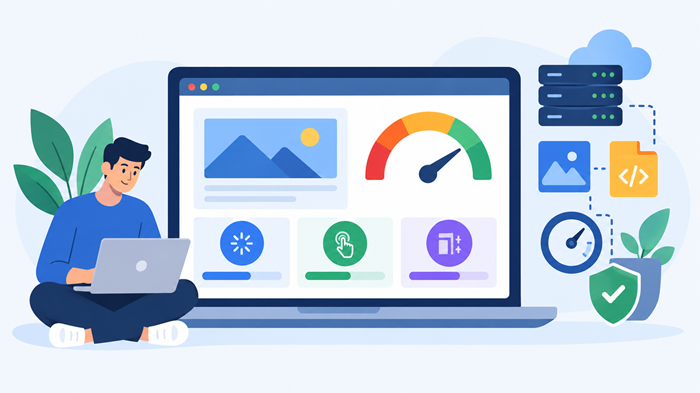
Core Web Vitals provide a practical way to evaluate important parts of the browsing experience. They focus on loading, responsiveness, and visual stability, connecting technical work with what visitors actually experience.
What Are the Three Core Web Vitals?
The current Core Web Vitals set includes Largest Contentful Paint (LCP), Interaction to Next Paint (INP), and Cumulative Layout Shift (CLS). Each metric points to a different type of performance problem.
Largest Contentful Paint (LCP)
LCP measures when the largest visible content element has rendered. A slow hero image, inefficient server response, render-blocking resources, or delayed font delivery can contribute to a poor result.
The goal is not simply to make every asset tiny. It is to make important content available quickly by improving server response, prioritizing key resources, optimizing media, and reducing unnecessary work before the main content renders.
Interaction to Next Paint (INP)
INP measures how quickly a page responds to user interactions throughout a visit. Heavy JavaScript, long tasks, excessive event handlers, and expensive rendering can make buttons, menus, forms, and filters feel slow.
For WordPress sites, improving responsiveness often requires more than a caching plugin. Developers may need to reduce JavaScript work, split tasks, remove unnecessary third-party scripts, and improve interactive components.
Cumulative Layout Shift (CLS)
CLS measures unexpected movement of page content. A page can load quickly and still feel frustrating if buttons, images, banners, or text move while someone is reading or clicking.
Stable dimensions for images and embeds, predictable spaces for dynamic elements, and careful font handling can reduce these shifts. Visual stability is particularly important on mobile.
How to Perform a Website Speed Analysis
Effective website speed optimization starts with diagnosis. Before changing a theme, server, plugin, or script, determine what is actually slowing the page. For more context, see our guide to the importance of website speed.
A useful review should examine server response time, page weight, images, CSS, JavaScript, fonts, third-party requests, caching, compression, redirects, and template-level differences. One landing page may be fast while a blog or checkout template has a completely different bottleneck.
A website speed test is a useful starting point, but the results need context. A core web vitals test can help compare key loading, interaction, and stability signals when tests are run consistently.
How to Read Performance Testing Data
A Google website speed test can highlight opportunities in loading, responsiveness, and resource delivery, but a performance score is not the same thing as a business outcome.
Look for patterns. If the same template repeatedly struggles, investigate the template. If mobile results are much worse, prioritize mobile resource delivery and JavaScript behavior. If field data is weak while lab results look strong, investigate real-user conditions instead of assuming the lab is wrong. Google recommends using field data to understand real-world experiences, while lab testing is useful for diagnosing changes during development.
What are core web vitals?
In practical terms, they help show whether important parts of the experience load promptly, respond properly, and stay visually stable.
For teams that need a broader technical review, our guide to technical seo for saas website explains how performance fits into a wider technical SEO framework.
Common Causes of Poor Core Web Vitals
Performance problems usually result from several technical decisions adding up.
Core Web Vitals SEO and Search Performance
Core web vitals seo should be treated as part of a broader technical SEO strategy, not as a shortcut to rankings. Google uses many systems and signals to understand pages, and passing a performance threshold does not guarantee a top position.
Performance still matters because search visibility and user experience are connected. A technically clean page that loads efficiently is easier to use, easier to maintain, and better positioned to support conversions.
At Ducky Unlimited, we treat Core Web Vitals as one part of a complete technical SEO process. We look beyond the metric and identify the code, content, infrastructure, or configuration responsible for the result.
Practical Core Web Vitals Optimization Steps
Core Web Vitals optimization should follow a clear sequence.
1. Start with High-Impact Templates
Begin with pages that drive organic traffic, leads, sales, or important user journeys instead of optimizing random URLs.
2. Improve the Critical Rendering Path
Reduce resources that delay meaningful content. Prioritize the main visual element, defer nonessential scripts, and remove avoidable render-blocking work.
3. Optimize Images and Media
Serve appropriately sized images, compress files, use modern formats where suitable, and avoid loading media visitors do not need immediately.
4. Reduce JavaScript Overhead
Review third-party scripts, long tasks, event listeners, and unnecessary libraries. A leaner JavaScript footprint can improve responsiveness without changing the visual design.
5. Stabilize the Layout
Reserve space for images, embeds, ads, and dynamic components. Make sure fonts do not cause avoidable movement as they load.
6. Strengthen Caching and Delivery
Browser caching, server caching, CDN configuration, compression, and efficient asset delivery can reduce repeat-load costs and improve consistency.
If a WordPress site struggles with interaction delays, our resource on practical strategies to improve INP explains common implementation issues and optimization opportunities.
Why Technical SEO and Development Must Work Together
Performance problems often cross the boundary between SEO and development. An audit may identify a slow template, but the solution could involve JavaScript architecture, server configuration, database queries, image handling, or plugin behavior.
That is where an integrated agency approach becomes valuable. Instead of handing a developer a list of unexplained warnings, Ducky Unlimited can connect each performance issue to its technical cause and prioritize fixes around business impact.
This is one reason our unlimited web design and development approach works well alongside technical SEO. Design decisions, code quality, and search performance can be evaluated together rather than treated as separate projects.
Monitoring After the Fixes
A performance project should not end when a score improves. Websites change constantly. New plugins, campaigns, tracking scripts, landing pages, and design components can introduce fresh bottlenecks.
Set a baseline, record major changes, and monitor important templates over time. Compare field data where available and use repeatable lab testing to investigate specific changes.
Status Codes also deserve attention because redirects and server responses can reveal technical problems affecting both users and crawlers. A strong audit should connect performance with crawlability, indexation, redirects, and broader site health.
How Ducky Unlimited Can Help
At Ducky Unlimited, we approach performance as a technical problem that needs evidence, prioritization, and implementation. Our team can audit the site, identify high-impact issues, coordinate technical SEO with development, and validate results after changes are made.
These performance metrics should therefore be viewed as a practical diagnostic framework, not a one-time SEO checkbox. When performance is measured correctly and technical issues are fixed at their source, improvements can support usability, conversion paths, and long-term site maintenance.
Final Thoughts
A fast website is built through smart development, technical SEO, efficient assets, reliable infrastructure, and continuous monitoring. Core Web Vitals help make those priorities measurable.
If your site is slow, unstable, or frustrating to use, do not change everything at once. Start with evidence. Find the bottleneck, prioritize the pages that matter, implement targeted fixes, and validate the outcome.
With the right technical SEO and development partner, these metrics can become a useful roadmap for improving the experience your website delivers.
FAQs
What is the Best Way to Improve Core Web Vitals?
Measure the problem first, then fix the highest-impact loading, interaction, and layout issues.
Do These Metrics Directly Guarantee Higher Rankings?
No, they support page experience but do not guarantee higher search rankings.
How Often Should I Check These Metrics?
Monitor them regularly and retest after major technical, design, or content changes.
Can Plugins Hurt These Metrics?
Yes, poorly coded or unnecessary plugins can add scripts, requests, and processing work.
Does Website Speed Affect Conversions?
Yes, faster and more responsive pages can reduce friction during browsing and key conversion actions.